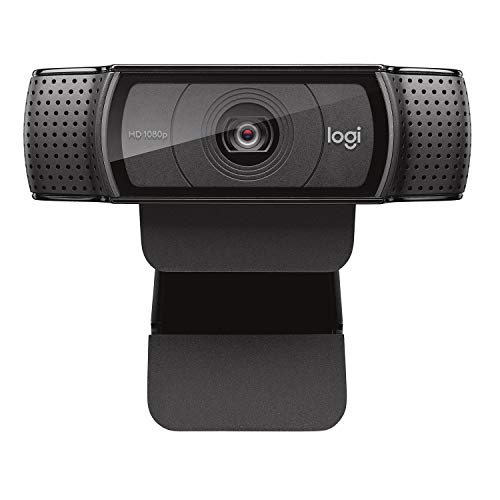
Logitech HD Pro Webcam C920, Widescreen Video Calling and Recording, 1080p Camera, Desktop or Laptop Webcam
HD Pro Webcam C920 With the Logitech HD Pro Webcam C920, you’ll be seen in more clarity and detail than ever before with Full HD 1080p video calling—the highest quality available. Enjoy vibrant, true to life video clips that capture the smallest details. No time to talk? Send the people you care about a Full
HD Pro Webcam C920 With the Logitech HD Pro Webcam C920, you’ll be seen in more clarity and detail than ever before with Full HD 1080p video calling—the highest quality available. Enjoy vibrant, true to life video clips that capture the smallest details. No time to talk? Send the people you care about a Full HD video clip. Advanced Compression Technology Faster, smoother, and compatible with more computers, H.264 encoding takes the pressure of compressing off your computer so you can enjoy quick uploads. Logitech Quality The C920 goes above and beyond the typical webcam, offering amazing clarity and detail thanks to the five-element, Full HD glass lens and precisely tuned autofocus. Dual mics capture natural stereo sound for superior audio. Connect Like a Pro Whatever your network, connect with everyone you care about through Full HD 1080p on Skype, and fluid HD 720p on FaceTime for Mac. You can also make high-quality video calls with Google Hangouts and nearly all other video-calling clients. Two mics with automatic noise reduction allow friends, family, and clients to hear the real you. Compatibility & System Requirements Mac OS 10.10 or later (HD 720p on FaceTime for Mac or other supported video-calling clients; Full HD 1080p video recording with QuickTime Player) Windows 7, Windows 8, Windows 10 or later Android v 5.0 or above Chrome OS Available USB port Internet connection Technical Specifications Full HD 1080p video calling (up to 1920 x 1080 pixels) with the latest version of Skype for Windows 720p HD video calling (up to 1280 x 720 pixels) with supported clients Full HD video recording (up to 1920 x 1080 pixels) H.264 video compression Full HD glass lens with precise autofocus Built-in dual mics with automatic noise reduction Automatic low-light correction Tripod-ready universal clip fits laptops and LCD monitors Package Contents Webcam & 6-foot cable User documentation 2 year limited warranty
Product Features
- Full HD 1080p video calling (up to 1920 x 1080 pixels) with the latest version of Skype for Windows; Webcam with 5 foot cable
- 720p HD video calling (up to 1280 x 720 pixels) with supported clients. Full HD video recording (up to 1920 x 1080 pixels).Max Resolution: 1080p/30fps 720p/30fps
- Video compression, Built in dual stereo mics with automatic noise reduction. Automatic low light correction, Tripod ready universal clip fits laptops, LCD or monitors
- Compatible with: Windows 7, Windows 8, Windows 10 or later. Works in USB Video Device Class (UVC) mode: Mac OS 10.10 or later (HD 720p on FaceTime for Mac or other supported video calling clients; Full HD 1080p video recording with QuickTime Player) Chrome OS,Android v 5.0 or above (with supported video calling clients),USB port,Internet connection


















)
Great 1080p webcam for under $70
Customer Video Review Length:: 0:38 Mins Great webcam that takes crisp clean videos even at 1080p 30fps and 1080p 60fps. You have to get different software to get it to run at 60fps and your computer has to be able to handle the load that is placed on the processor. I did a few test pictures and videos and I was impressed with the quality. Sound is decent but you have to sit close to the webcam to get a clear sound, it does do stereo sound. I bought a cheap mic to solve that problem. Only thing missing is a lens cover to protect the glass from dust and impact. You can go to the logitech website and download their software if you want to record quick webcam videos or download other software such as OBS which is free.
INCOMPATIBLE WITH WINDOWS 10 64-bit Logitech’s website has a nice little “matrix” of Webcams and OSes… which recommends a certain driver, the ONLY driver it ‘recommends’ for Win 10 64-bit.Part of the release notes for that driver? “Only Certified for Windows 8. Only Installs on Windows 8.”The driver claims to install, but the computer reminds me on every boot up to “complete the driver installation.” And no software will recognize that the camera is even plugged in.I cannot recommend this camera unless you’re using Windows 8 or older – they do not appear to have ANY certified Windows 10 Drivers, despite the time the OS has been available.It sure looks pretty, though.
Way better than my old C270 Length:: 0:57 Mins I absolutely love this webcam. I have been running a youtube channel for a long time and only had the Logitech C270 to use for it. The difference between this and that is night and day, huge difference and im so happy I made the upgrade. It catches lighting perfect and has a very good image quality as well as nice auto focusing.The image and video I took with this for this amazon review are in normal evening room lighting with one lamp in the corner of the room. Usually for better quality I have an extra light in front of my face but for the purposes of showing it for the average setup I did not include the extra light. Now onto some pros and cons!Pros:~One of the top quality video/picture qualities available on any webcam~smooth and fast video at 30fps regardless of what you are broadcasting with or recording with~more than decent lighting adjustments even on automatic settings~Logitech webcam software…