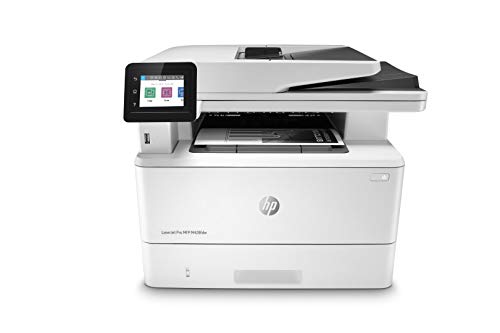
HP LaserJet Pro Multifunction M428fdw Wireless Laser Printer (W1A30A)
It’s built to keep your business moving forward?the HP LaserJet Pro Multifunction Printer M428fdw keeps up with how you actually work, collaborate, and get things done. With fast print, scan, copy, and fax capabilities, best-in class security, and automated workflows, this multifunction monochrome laser printer is designed to let you focus your time on growing
It’s built to keep your business moving forward?the HP LaserJet Pro Multifunction Printer M428fdw keeps up with how you actually work, collaborate, and get things done. With fast print, scan, copy, and fax capabilities, best-in class security, and automated workflows, this multifunction monochrome laser printer is designed to let you focus your time on growing your business and staying ahead of the competition. Maximize productivity with an intuitive touchscreen control panel and automatic 2-sided printing, and stay connected with easy mobile printing options. This wireless laser printer is also designed with the environment in mind; save up to 22% over prior products with HP Eco Smart black toner, and help save paper right out of the box with the default paper savings mode.Operating temperature range : 15 to 32.5°C
Product Features
- BUILT TO KEEP YOUR BUSINESS MOVING FORWARD – Print, scan, copy and fax consistently high-quality documents with the HP LaserJet Pro Multifunction M428fdw, a wireless printer designed to let you focus on growing your business
- BEST-IN-CLASS SECURITY – A suite of embedded security features, like instant threat notifications and optional PIN/Pull printing, help protect your laser printer from being an entry point for attacks and help ensure the safety of your sensitive data
- AUTOMATE COMPLICATED WORKFLOWS – Help save time by automating steps in a complicated workflow, and apply your saved settings at a touch of a button via the customizable control panel
- PRINT WITH OR WITHOUT A NETWORK – Use built-in Wi-Fi Direct to connect your smartphone directly to your wireless laser printer for easy mobile printing, even without a local network connection
- SPEED THROUGH TASKS – Stay productive with single-pass, 2-sided scanning, 50-sheet auto document feeder, 250-sheet input tray, and print speeds of up to 40 pages a minute from this multifunction laser printer
- ENHANCED ENERGY EFFICIENCY – Designed with the environment in mind, HP LaserJet Pro MFP M428fdw saves up to 22% energy over prior products, with technologies that help reduce paper waste
- TONER CARTRIDGES YOU CAN TRUST – Avoid reprints, wasted supplies, and service calls by using Original HP 58A/58X toner cartridges designed for your multifunction laser printer
- ONE-YEAR LIMITED HARDWARE – Get help with 24-hour, 7 days a week FREE HP Web support. See specification sheet for terms and conditions















', 'https%3A%2F%2Ftimelessexchange.com%2Felectronics%2Fhp-laserjet-pro-multifunction-m428fdw-wireless-laser-printer-w1a30a'))
HP M428fdw Wireless Laser Printer This HP monochrome printer is what you would expect from HP. Sleek, easy to operate & install, fast and high quality output.This is a great complement to a color laser that could be used for high output monochrome documents. It’s quite a bit faster than our HP color laser and it’s nice to have 2 printers on the network.HP has implemented what they call “Dynamic Security Enabled Printer” which apparently prevents the use of non genuine HP toner cartridges. The warning…
It’s a keeper! We are a small security consulting company and use a lot of technology in our office. While we have higher end HP products in daily use in our office (DesignJet plotter, large format color laser and inkjets), my go-to for this type of low-end, multi-function or standalone printer has most frequently been Brother. They are easy to set-up, configure, and use, cost of consumables is reasonable, and they have been reliable workhorses. When the opportunity to test the HP LaserJet Pro Multifunction…
Great printer, issue-ridden scanner This is a pretty great printer that’s pointlessly limited by software.The prints are fast (about half as fast when printing two sided) and high quality, but the double sided scans always come out looking like second or third copies (and at an offset angle so its easy to tell when you have a copy). If you scan with a single page on the flatbed scanner, you can get very high quality results, but the fed scanner tops out at 300 dpi and is noticeably low-quality if you blow up the scan…